 Lumenor
Build habits you’ll want to protect
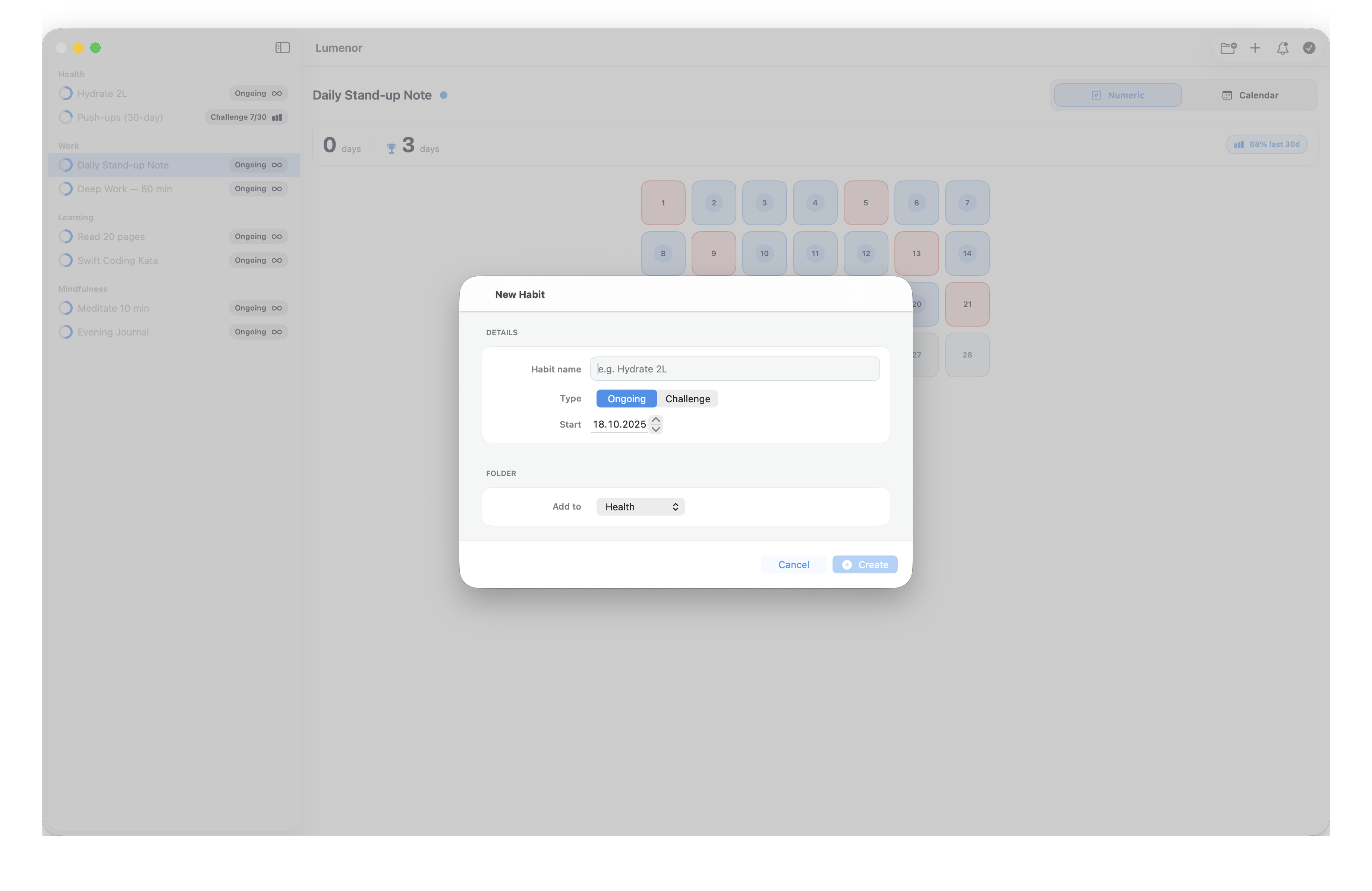
Lumenor makes progress obvious with calm, high‑contrast grids, a motivating Streak Counter Bar, and one‑click Today check‑ins. Stay on track with gentle reminders and a clear month view.
Mac-native habit tracking that stays out of your way
Keep streaks, reminders, and exports in one calm place. Lumenor is offline-friendly, private by default, and tuned for keyboard-driven workflows.
Built for macOS
Native menus, shortcuts, and a layout tuned for large screens. Dark mode is perfected, and the UI mirrors the macOS palette.
Private by default
No account required. Your habits and reminders stay on your Mac, with export options when you want to share progress.
Reminders you control
Per-habit daily notifications, sensible grace windows, and a Streak Counter Bar that keeps momentum visible.
Fast check-ins
One-click Today, keyboard-friendly navigation, and two high-contrast grids make logging frictionless.
Two grids, one goal
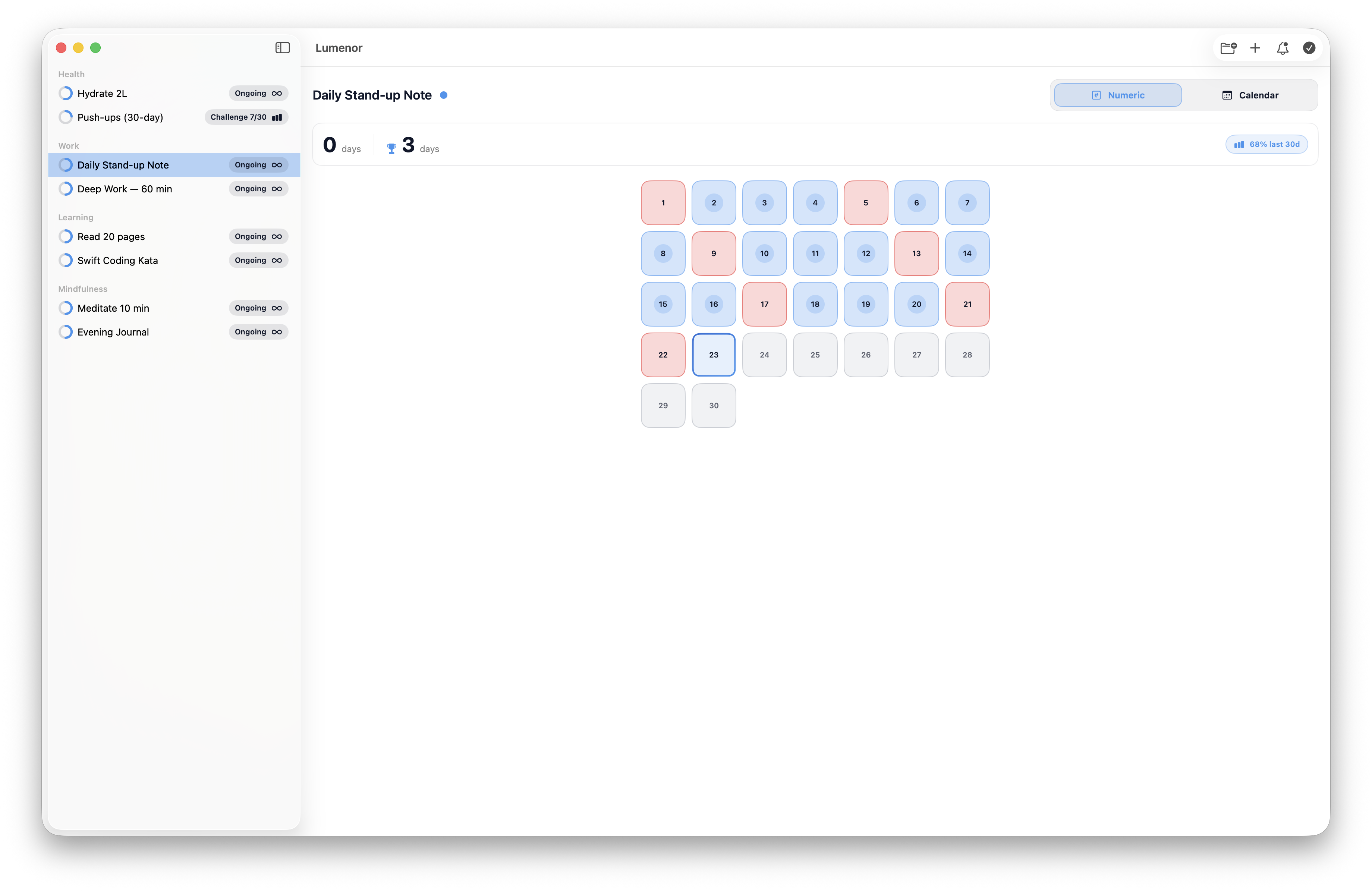
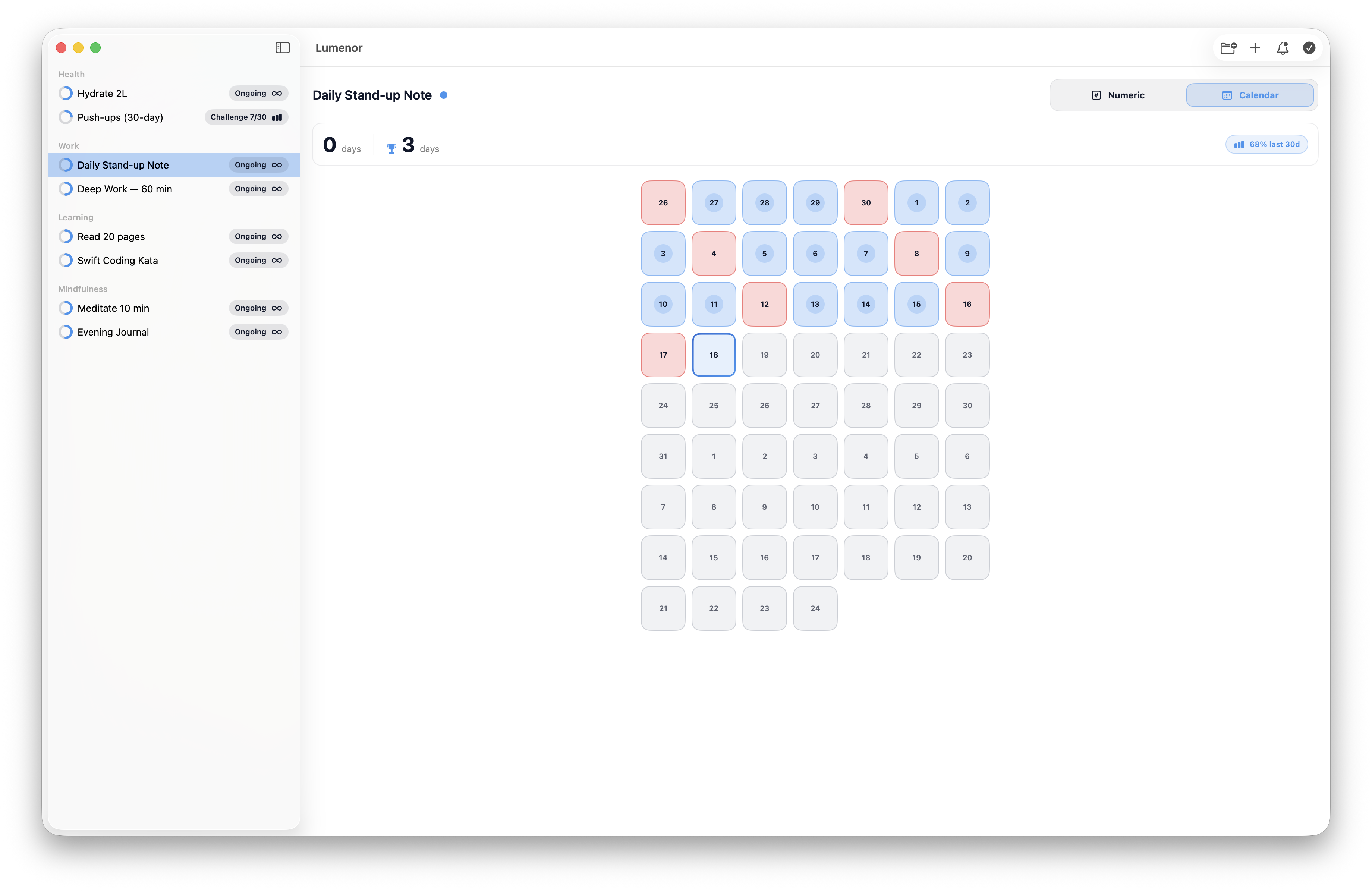
Switch between a compact Numeric grid and a date‑aligned Calendar grid — both optimized for dark mode and readability.
Streak Counter Bar
See current and best streaks at a glance. Momentum matters — protect your run with one‑click check‑ins.
Gentle reminders
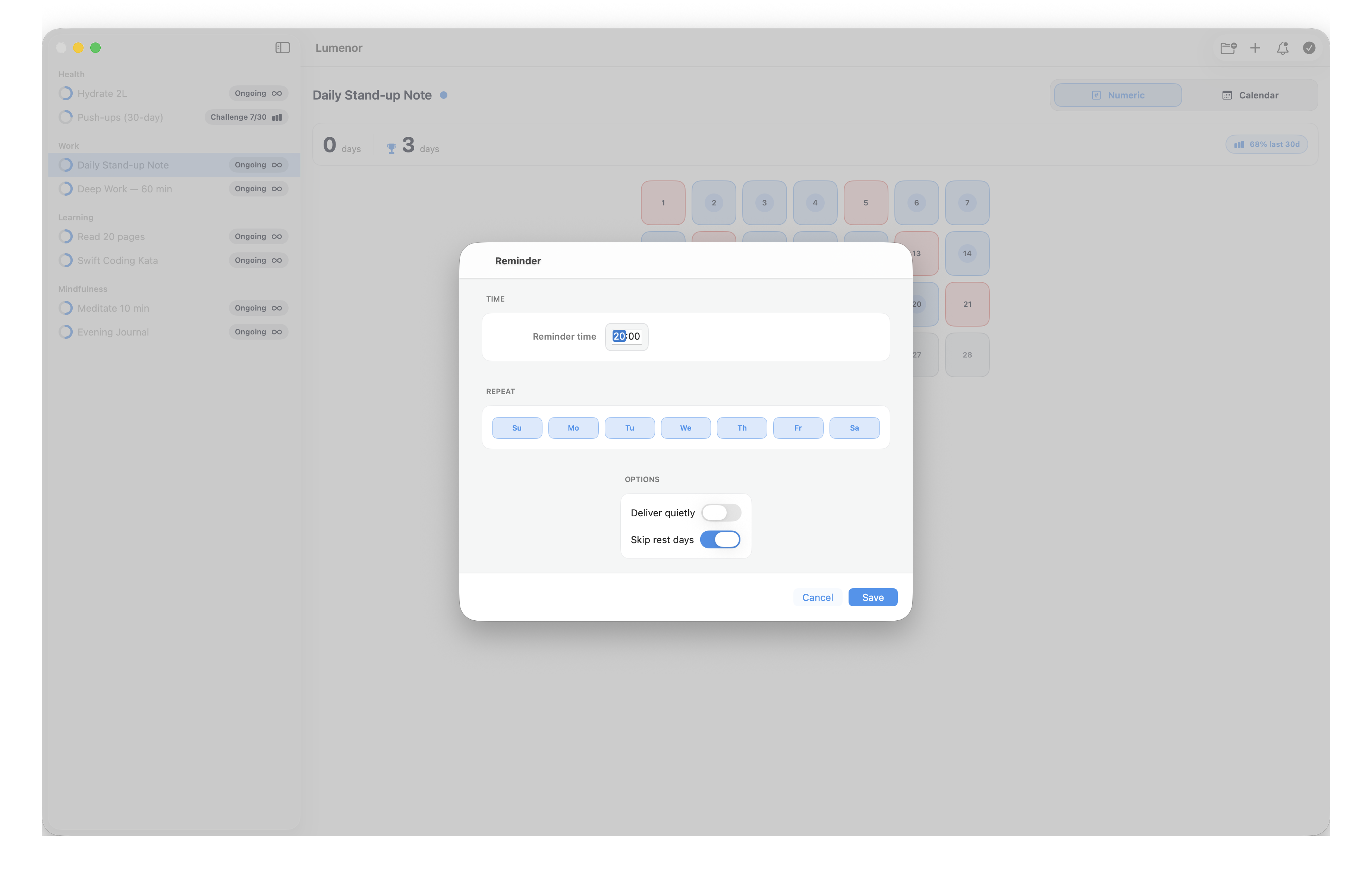
Create per‑habit daily reminders at the time that works for you. Lumenor nudges; you stay in control.
One‑click Today
Check in with a single click and a sensible grace window. No clutter — just the next right action.
Stats & trends
Compare the last 30 days, see freeze counts, and export snapshots to share progress.
Themes & custom looks
Pick calming themes, custom colors, wallpapers, and tile shapes that fit your focus.
What to know before you start a streak
Lumenor keeps things simple: private storage, offline access, and reminders that respect your focus time.
Does Lumenor work offline?
Yes. Habits, history, and reminders live on your Mac. There’s no account to create, and you can keep tracking even without Wi‑Fi.
How do reminders behave?
Create daily reminders per habit at the times you prefer. Notifications are local and can be turned off in the app or macOS Settings.
How are streaks protected?
One‑click Today uses a sensible grace window so late check‑ins still count. The Streak Counter Bar shows current and best runs.
Can I export or get support?
Export snapshots from Stats to share progress or back things up. If you need help, head to Support and we’ll reply quickly.